


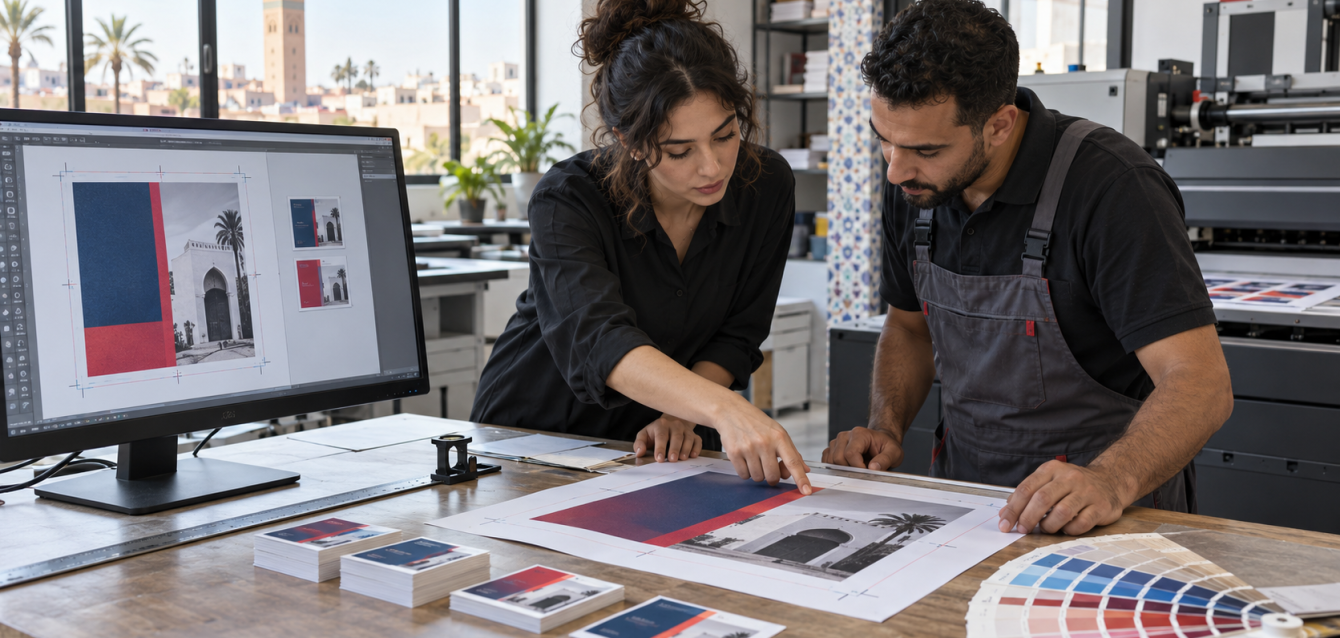
A print-ready PDF matches the printer’s agreed specifications for finished size, bleed, colour, images and fonts. Before approving business cards, flyers or brochures, check the exported file itself, not just the design on screen. For projects in Morocco or France, confirm production requirements and the full quote before printing.
Start with the production brief, not the export button
Send the printer the finished dimensions, quantity, paper, number of printed sides, finishing and delivery destination. Ask for the preferred PDF preset, colour profile, bleed and marks. A business card, a folded brochure and a large sign can need different settings; one export preset is not a universal solution.
For a Moroccan business ordering French and Arabic materials, list both language versions explicitly. For a project serving France, specify which telephone number, address, currency and website belong on that version. These are editorial checks, separate from technical file preparation.
Check trim size, bleed and the safe area
The trim size is the intended finished size. Bleed extends artwork beyond that edge so backgrounds can continue through the cut. A safe area keeps essential text and logos away from trimming uncertainty. Adobe’s bleed and slug guidance explains how the different document areas work.
A worked size example
If a printer requests a finished card of 85 × 55 mm with 3 mm bleed on every edge, the artwork including bleed spans 91 × 61 mm. This is a calculation example, not a required Digist card format. Use the dimensions in your approved job specification, including any additional space required for marks.
Extend the background into the bleed. Do not simply enlarge the entire layout: that can move text too close to the cut. Ask the printer for the minimum safe distance for this particular job.
Inspect images, colour and typography
Use suitable source artwork
Prefer an original vector logo when available. Check photographs at their intended printed size; enlarging a small downloaded image does not restore missing detail. Ask for the printer’s effective-resolution target instead of treating one resolution value as suitable for every product.
Confirm the colour workflow
Agree the output profile with the printer before converting artwork. A screen preview is not a contractual colour proof. If a brand colour is critical, discuss a physical proof or the proposed production method. Adobe explains how conversion settings affect image quality, fonts and colour handling in its PDF settings overview.
Review French and Arabic text separately
Check accents, punctuation, line breaks, Arabic letter shaping and reading order in the exported PDF. Ask how fonts should be handled. Keep an editable source copy even if the production workflow requires a different final treatment.
Run a practical preflight
| Check | What to verify |
|---|---|
| Dimensions | The finished size and orientation match the order. |
| Edges | Background reaches the requested bleed; important content stays within the safe area. |
| Pages | Front/back order, page count and fold instructions are unambiguous. |
| Content | Names, contact details, dates, prices and language versions are approved. |
| Interaction | QR codes work when tested at the intended printed size. |
| Proof | The approved file name and revision are recorded. |
Add crop marks only when requested. Adobe’s printer’s marks guidance recommends confirming the provider’s expectations. Do not impose a sheet layout yourself unless the printer asks for imposed files.
Compare the complete quote in MAD or EUR
For a Morocco-based job, request a written quote in MAD. For work commissioned from France, agree whether the quote and payment will be in EUR or MAD. Do not compare two totals until their scope matches.
- Separate design, file correction, proofing, printing and finishing.
- Confirm whether taxes and delivery are included, and what the invoice labels HT or TTC mean for that quote.
- Ask about the number of revisions and what happens if the file changes after approval.
- Record the delivery address, deadline and quote-validity date.
This guide does not publish a fixed Digist print tariff or an exchange-rate conversion. The actual amount depends on the specification and the approved quotation.
Frequently asked questions
Is 3 mm bleed always enough?
No. Bleed is a job specification. Three millimetres is used in the calculation example here, but you should follow the requirements of your printer and product.
Should I add crop marks to every PDF?
Only when the printer asks for them. Confirm the export instructions, because some workflows expect artwork without additional marks.
Can I use a screenshot of my logo?
An original vector file is usually a better starting point for a logo. If only a screenshot exists, ask the designer or printer to assess it at the required printed size.
How do I get an accurate print quote from Morocco or France?
Provide size, quantity, paper, printed sides, finishing, language versions, delivery destination and deadline. Ask for an itemised quote with its currency, tax treatment and validity date.
Where to request printing
For print production, contact our sister company Digital Copy Line with the approved size, quantity, paper, finishing and delivery details. If your project also needs a website or landing page, explore DIGIST’s digital services.